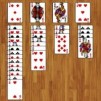
FreeCell - A Classic Brain-Boosting Card Game
FreeCell is a timeless card game that combines logic, patience, and strategy into one highly engaging experience. Unlike many other solitaire variants, nearly every deal in FreeCell is solvable, making it a favorite among players who enjoy thinking several moves ahead. With simple rules but deep gameplay, it's easy to lose track of time while trying to perfect your strategy.
What Makes FreeCell So Addictive?
FreeCell stands out from classic solitaire and other card games like UNO Online because all cards are dealt face up from the start. This means there's no hidden information - your success depends entirely on your planning and decision-making skills rather than luck.
Clear Rules, Deep Strategy
The objective is straightforward: move all cards to the four foundation piles, building them up by suit from Ace to King. You can move cards between columns in descending order and alternating colors. The twist? You have four free cells that act as temporary storage spaces, allowing you to maneuver cards more effectively.
A Game of Logic Over Luck
Unlike other card games, FreeCell rewards careful thinking rather than chance. Every layout is like a puzzle waiting to be solved. This makes it incredibly satisfying when you finally complete a challenging deal.
Gameplay Overview
At the start of the game, the deck is dealt into eight tableau columns. Your task is to rearrange the cards strategically to build up the foundation piles.
Key Elements of the Board
- Tableau Columns: Where most of the gameplay happens
- Free Cells: Temporary holding spots (limited space!)
- Foundation Piles: Final destination for each suit
Managing these areas efficiently is the key to winning.
How to Play FreeCell on Computer
Playing FreeCell on a computer is very simple and intuitive. You just need to click and drag the cards to the position you want.
Click and drag a card to move it to another column or free cell.
Release the mouse to drop the card in your chosen position.
You can also double-click cards in some versions to automatically send them to the foundation.
Useful Game Features
Modern FreeCell versions often include helpful features that improve your experience:
- Undo: Go back one or more moves if you make a mistake
- Hint: Get suggestions for possible moves when you're stuck
- New: Start a new game instantly
- Auto: Automatically move completed cards to the foundation
- Rank: Track your performance and compare your results
These features make the game more accessible for beginners while still offering a challenge for experienced players.
Tips to Master FreeCell
If you want to improve your performance and win more consistently, here are some practical tips:
Use Free Cells Wisely
Free cells are powerful but limited. Avoid filling them too quickly, or you'll restrict your movement options later in the game.
Plan Multiple Moves Ahead
Don't just focus on the next move - think about how your current action will affect future possibilities. Try to visualize sequences before committing.
Prioritize Empty Columns
Empty tableau columns are extremely valuable. They allow you to move entire sequences of cards, making it easier to reorganize the board.
Build Foundations Gradually
While it's tempting to move cards to the foundation immediately, sometimes it's better to keep them in play to help rearrange other cards.
Why You Should Try FreeCell
FreeCell is more than just a casual card game - it's a mental workout. It improves concentration, problem-solving skills, and strategic thinking. Whether you play for a few minutes or several hours, each game offers a new challenge.
With its perfect balance of simplicity and depth, FreeCell continues to be one of the most beloved solitaire games in the world. If you enjoy games that test your brain and reward smart decisions, this is definitely one worth mastering.